











How to Password Protect Directory in cPanel?

By Farhan Danish | June 10, 2026










There are always options available in cPanel for every requirement we need for our websites to secure, improve and analyse. One of the feature is password protect directory (aka) Directory Privacy. This directory protection feature allows the user to protect the directory with a username and password.
Let’s help you How to Password Protect a Directory in cPanel and secure your data.
What is Use of Password Protect Directory?
Password Protect Directory helps you prevent any other from accessing your directory files outside of the cPanel when trying to access directly loading the URL in browser. Always follow best Security practices which is important for the website to prevent any sort of data leak to third persons.
With this feature, you can only able to access the directory loading in browser as URL using the created login credentials for it.
Configure Password For Directory in cPanel:
STEP 1: Log in to the cPanel of your website
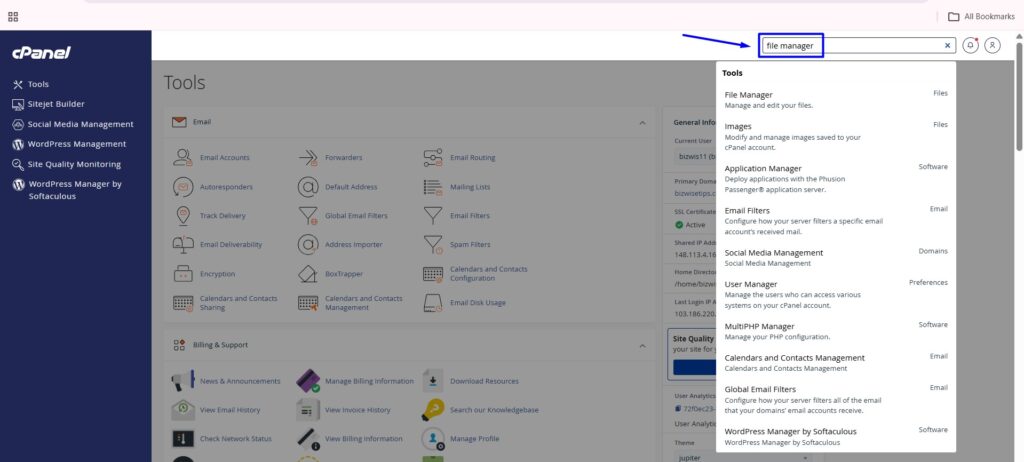
Type ‘File manager’ in the search box and click on it.
STEP 2: Navigating Through Directories
Go to the public html folder, Select the directory which you want to protect by double clicking it
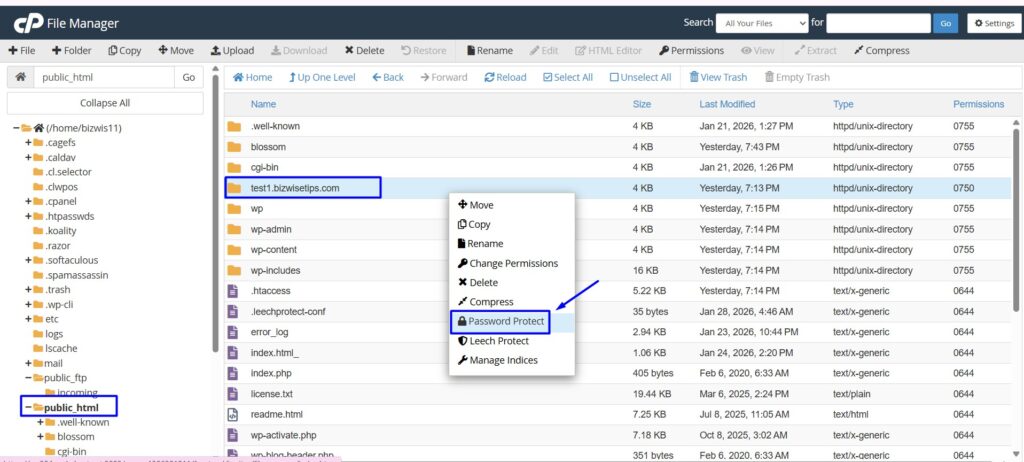
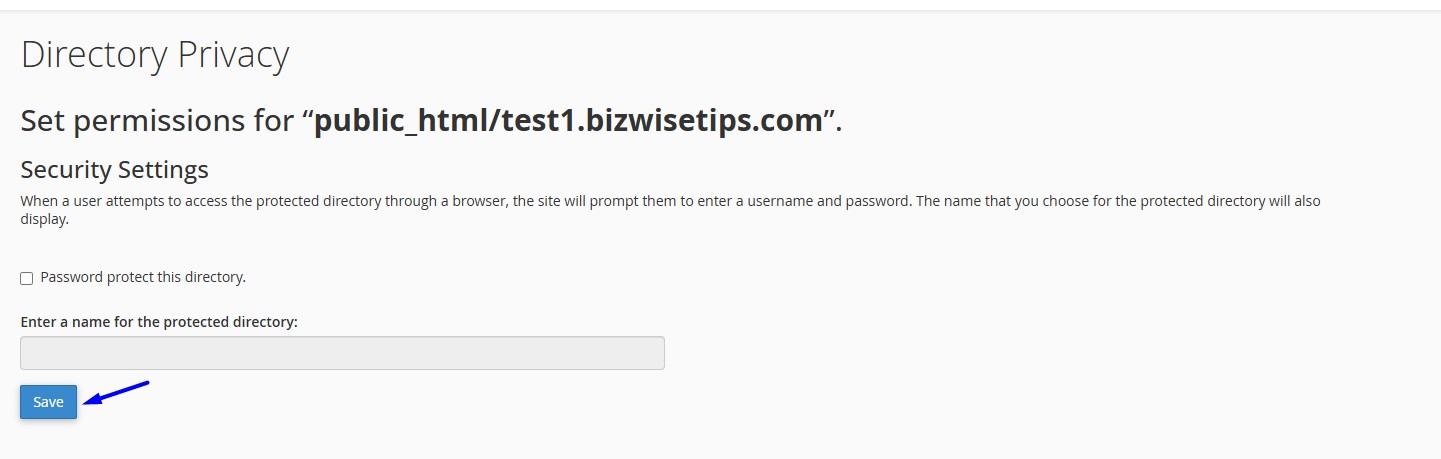
STEP 3: Password Protect Directory
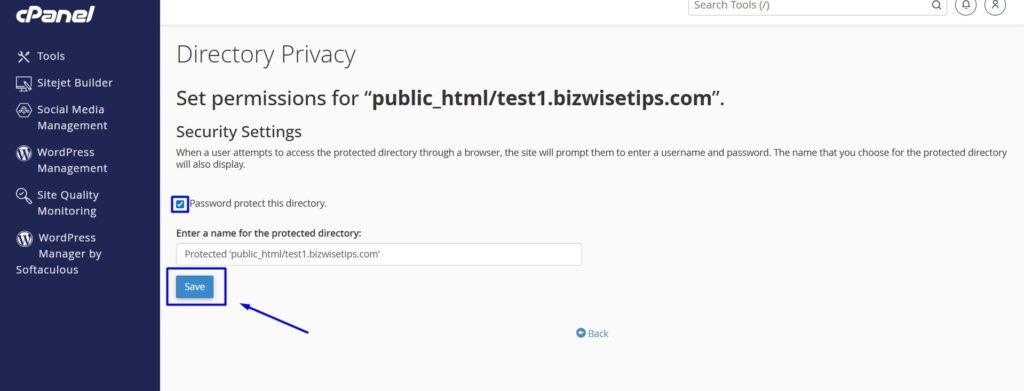
click the checkbox ‘Password protect for this directory’ and enter a name for the protected directory. Click ‘Save’
STEP 4: User Creation for Directory
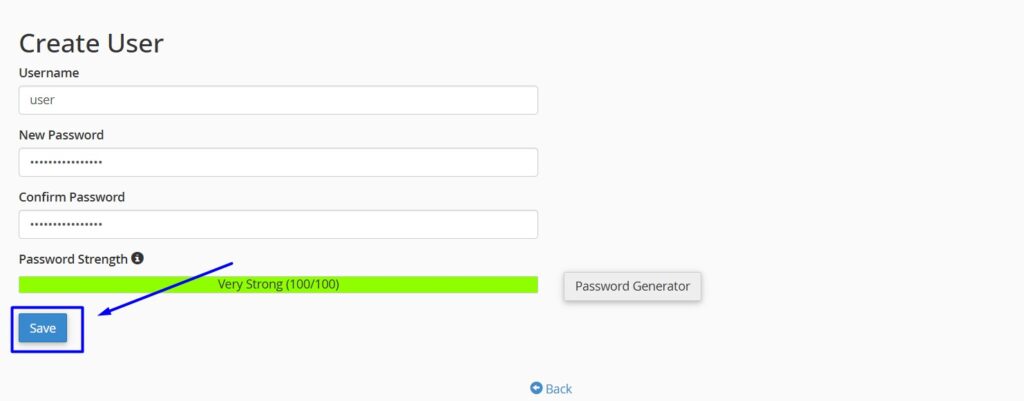
Under ‘Create User’ menu, enter the username and password to create a new user, click ‘Save‘.
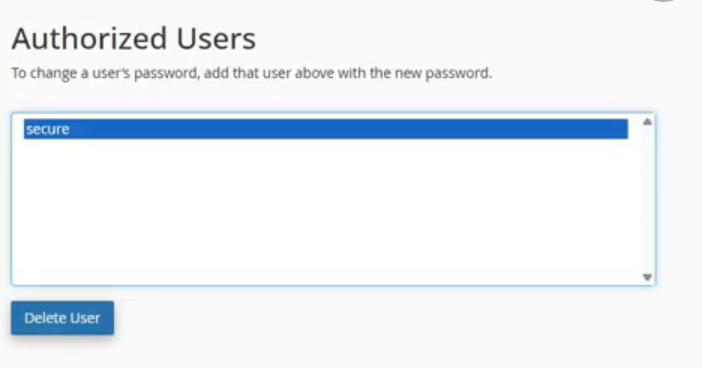
STEP 5: Authorized Users
To see the added users, in the same page you can see the username under the section “Authorized Users“. You can also create more than one user here.
STEP 6: Disable the Password Protect Directory option
Untick the Password Protect this Directory option and click save
Other Protection Ways in cPanel:
3. Install SSL
Video Tutorial:
Step by Step Video Tutorial on How to Password Protect Directory in cPanel