










9 Easy Steps to Fix a Corrupted WordPress Installation

By Gowdham | June 10, 2026










You might have come across seeing your website files getting corrupted. To fix a Corrupted WordPress, you need to replace all the files with fresh files so that you can secure the site and live the content.
Let’s learn that in 9 Easy Steps to Fix a Corrupted WordPress Installation in this article.
What is WordPress?
WordPress is a free and open-source content management system(CMS). WordPress is used to create content for your website. Using WordPress we can install and update millions of plugins and themes to our website.
Steps to Fix a Corrupted WordPress Site:
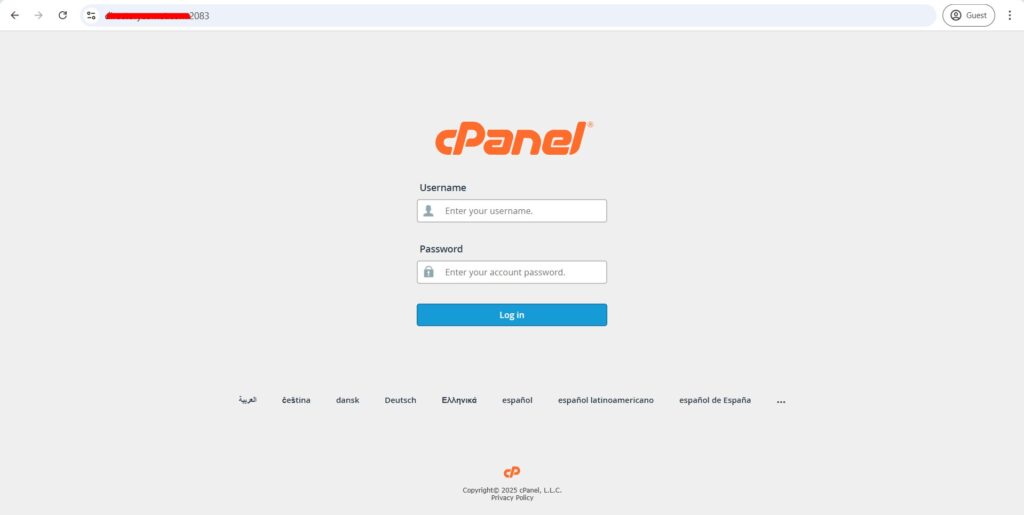
Step 1: Login to cPanel of the website.
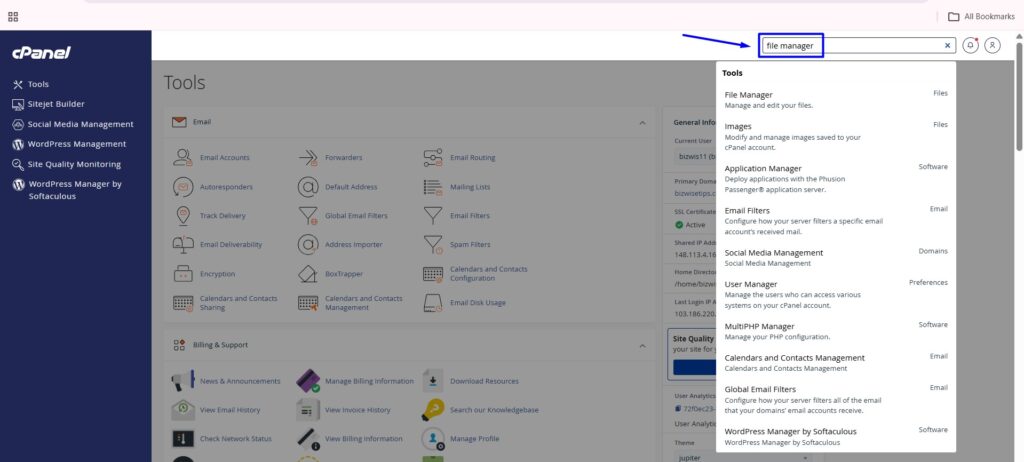
Step 2: Search for the file manager, click the file manager.
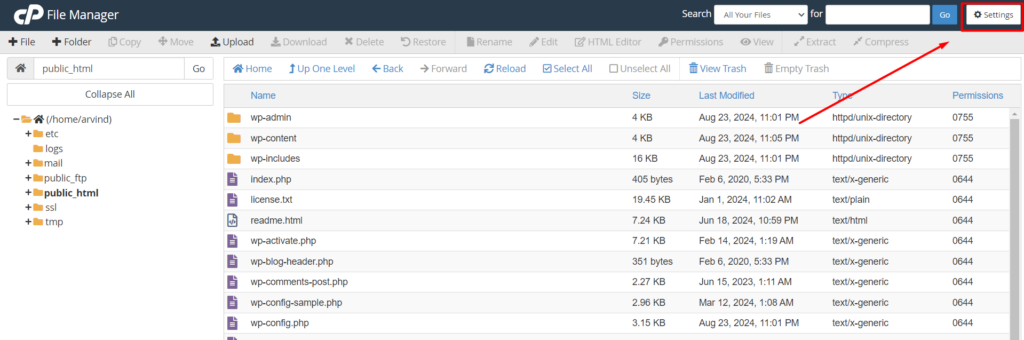
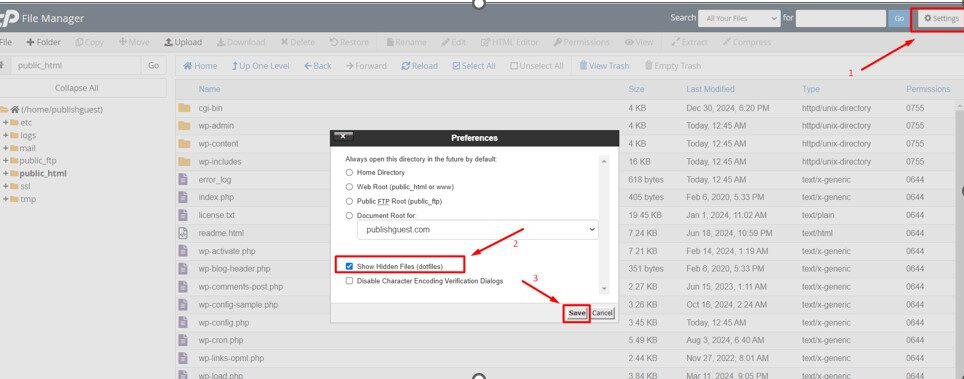
Step 3: For accessing the hidden files like .htaccess, navigate to Settings in the upper right-hand corner of the File Manager.
You will see a Preferences window appear. Click the checkbox near “Show Hidden Files” and click save button. Now all your hidden files will be visible in the file manager.
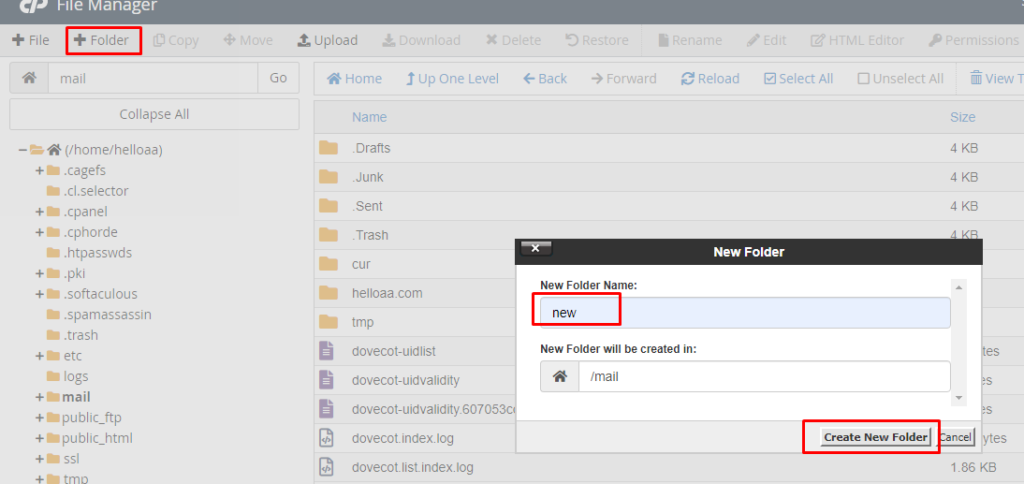
Step 4: Create a new folder on the home page and name the folder as Backup or any for backup file moving.
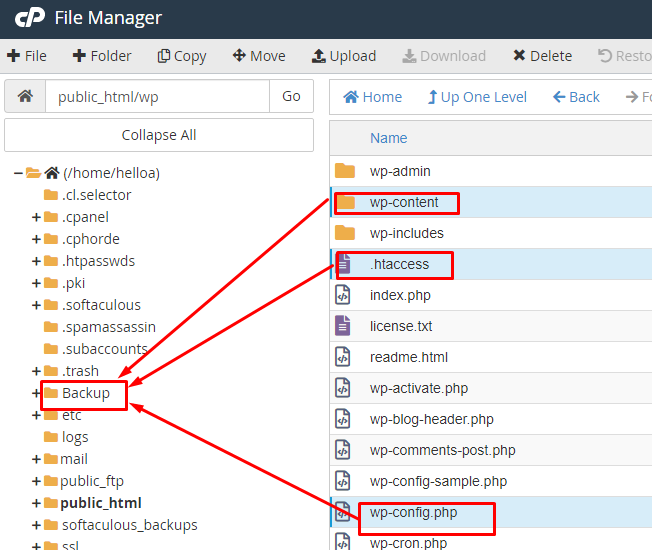
Step 5: Inside the public_html folder, ctrl+left click to select the three files – wp-content, .htaccess and wp-config.php and move to the Backup folder which we created in step 4 for backup.
NOTE: If you have manually uploaded any files other than the three, select them as well since selected only three as they are core files for website.
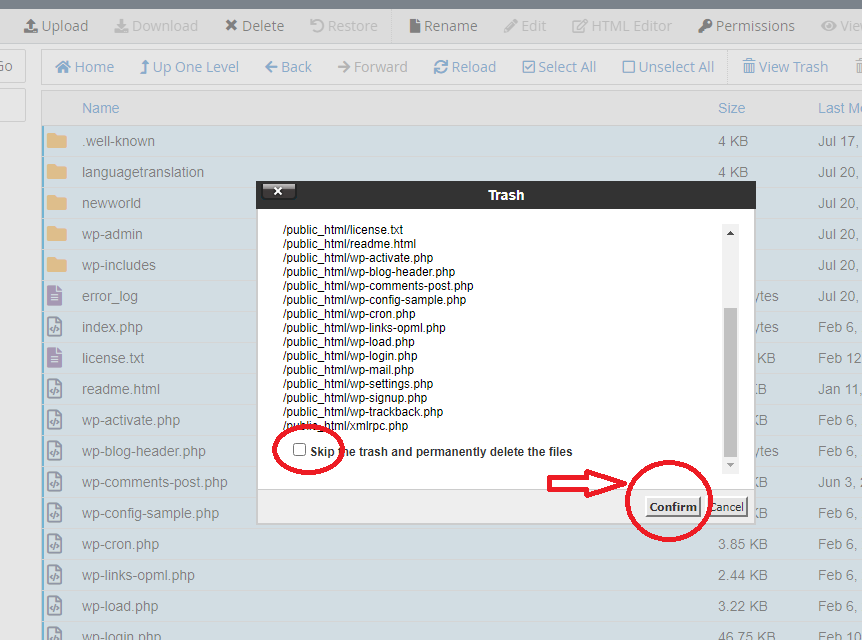
Step 6: Once moved, delete the other WordPress core files by selecting checkbox for skip to trash.
For now, Fix a Corrupted WordPress is completed. Now we have to restore them with fresh WordPress files.
Step 7: Now install the fresh WordPress again for the website under public_html directory. Once installed, remove the .htaccess, wp-content and wp-config file from the installed files so that you can replace the backup files which you have taken on step 5.
Step 8: Go to Backup folder created on step 4, select all files, right click on mouse and drag the files to public_html folder.
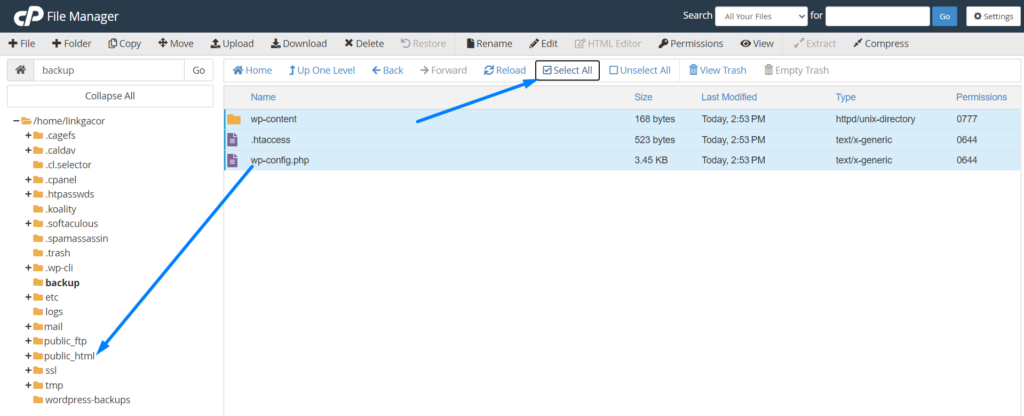
Step 9: Once moved, your corrupted files should get removed and replaced with fresh WordPress core files.
Important Update:
If incase, any of your other files, plugins, themes, etc gets corrupted then you should replace them with fresh files as well since above steps only help you to replace the WordPress core files if corrupted.
Hope this article guides you easily on how to Fix a Corrupted WordPress.