


How to Enable or Disable PHP Extensions in cPanel

By Karthi | October 26, 2026










Managing PHP extensions in cPanel is an important task when hosting WordPress, Laravel, or other PHP-based applications as each require different requirement on enabling and disabling extensions based on the task you perform.
Certain plugins, themes, and frameworks depend on specific extensions to provide their features and operate correctly. Keeping the required extensions enabled helps avoid compatibility issues and unexpected errors.
In this guide, we’ll explain how to enable or disable PHP extensions in cPanel with simple, beginner-friendly steps.
How to Enable or Disable PHP Extensions in cPanel
PHP extensions provide additional features that help websites and applications perform specific tasks. WordPress plugins, Laravel applications, and other PHP-based software may require certain extensions to work correctly. If a required extension is missing or disabled, you may experience errors or find that some website features do not work.
Common requirements include:
- WordPress: mysqli, curl, zip, and gd
- Laravel: mbstring, openssl, and pdo
- Payment integrations: soap, curl, and other API-related extensions
- Image processing: gd or imagick
Using cPanel, you can usually manage available PHP extensions through the Select PHP Version or PHP Extensions section. Enabling only the extensions required by your website can help maintain a clean and compatible PHP environment.
Process to Enable or Disable PHP Extensions:
Step 1: Log in to cPanel
Step 2: In the Software section, click Select PHP Version.

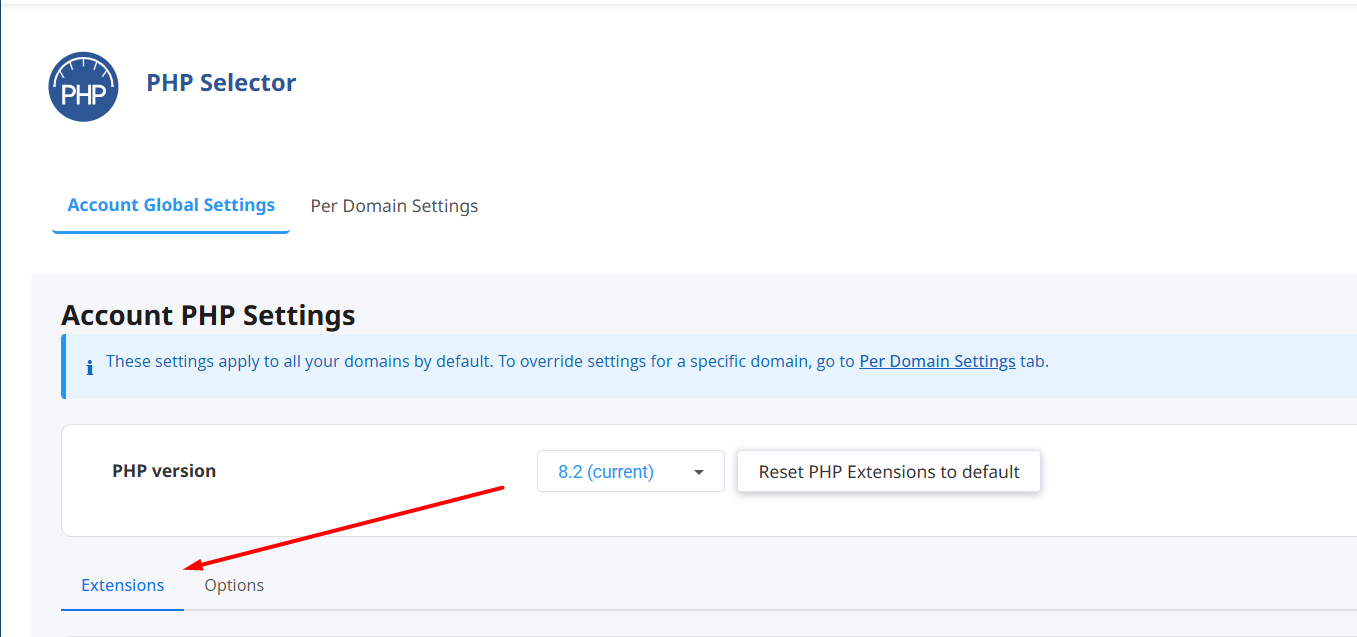
Step 3: Once you’re in, you can see the Extensions tab.
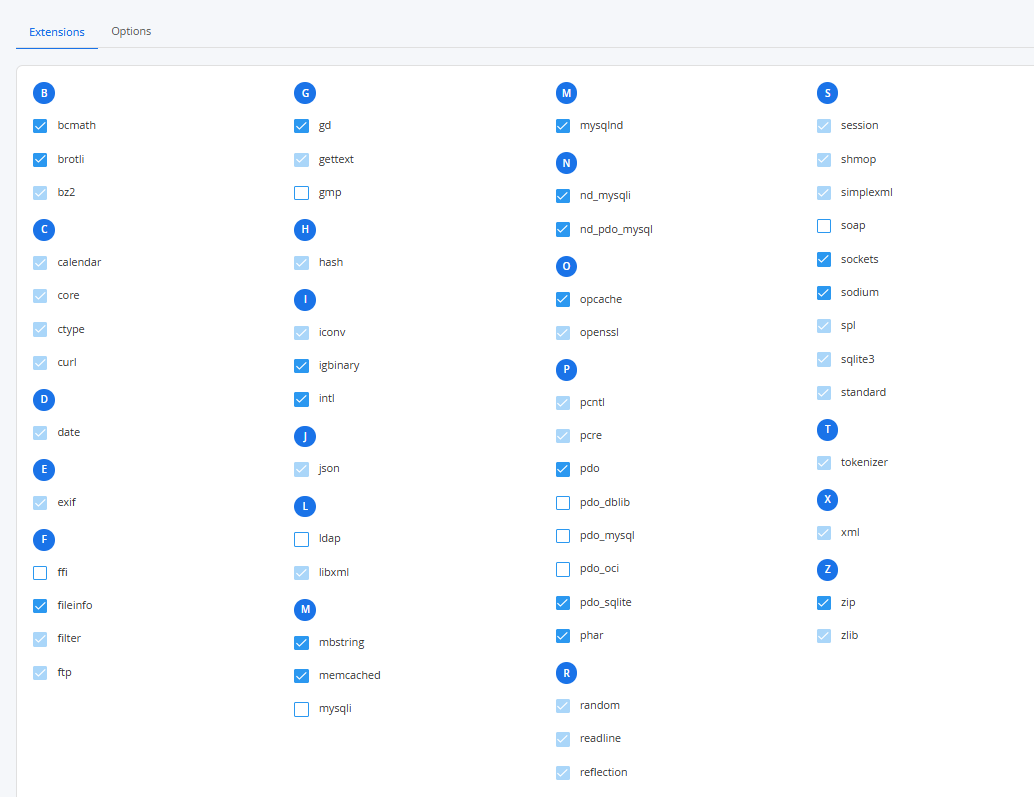
Step 4: You’ll see a list of available PHP extensions with checkboxes.
- Click the box to enable the extension.
- Uncheck the box to disable it.
Other Relevant Resources:
Managing PHP extensions in cPanel is easy using the Select PHP Version tool. In the Software section, users can turn specific extensions on or off with checkboxes to match their website’s needs. This flexibility makes it easy to customize the environment without advanced server management skills.