











What is WooCommerce? How It Works & Key Features

By Karthi | August 28, 2026










Understanding what is WooCommerce is essential for anyone planning to build an online store using WordPress. WooCommerce is a flexible and powerful eCommerce plugin that transforms a standard WordPress website into a fully functional online selling platform. It allows businesses to manage products, payments, shipping, and orders from a single dashboard while maintaining full control over design and functionality.
In this article, you’ll learn what WooCommerce is, how it works, and explore its key features that make it one of the most popular solutions for building scalable and customizable online stores.

What is WooCommerce?
WooCommerce is a powerful eCommerce solution that allows you to convert a website built on WordPress into a fully functional online store. It is widely used by businesses to sell products and services directly from their website without needing a separate eCommerce platform.
How Does the WooCommerce Plugin Work?
In brief, WooCommerce adds eCommerce capabilities to WordPress without altering its core content management system. Rather, it improves the existing features by offering all essential tools to establish an online store and sell products via WordPress.
Using the WooCommerce plugin offers features like inventory management, payment processing, product editing, and shipping calculators.
These WooCommerce features work alongside the existing WordPress functions. For developers and advanced users, WooCommerce also provides hooks, actions, and filters that allow deep customization of store functionality without modifying core files. You can explore practical examples in this guide on WooCommerce hooks, actions & filters.
You can also choose from a variety of free and premium themes created specifically for WooCommerce. Furthermore, you can install both free and paid extensions to add extra features to your online store.
Key Features of WooCommerce
Now, let’s review the main features of WooCommerce and their functions.
Product Management
WooCommerce enables you to add unlimited physical and digital products. It also tracks inventory levels and notifies you when stock runs out.
Add new products to your store by navigating to the Products tab in the WordPress dashboard. If you want a detailed step-by-step walkthrough, you can follow this guide on how to add products in WooCommerce for better understanding of product setup, configuration, and publishing. You can then quickly customise each item using an easy-to-use editor, including information such as its name, description, image, categories, and tags.
WooCommerce includes a comprehensive Product data widget in the editor, which is where you’ll mainly manage product details. For each product, you can set the price, tax configurations, shipping choices, attributes, and extra information.

When you publish a product, it appears on your store’s front end, typically under the Shop page. The plugin also automatically generates dedicated pages for each product.
Once a product is live with payment and shipping options configured, customers can start making purchases.
You can also import several products simultaneously by using a spreadsheet.
Order Management
WooCommerce helps you manage orders in your eCommerce store with a comprehensive set of features. To see a summary, navigate to WooCommerce -> Orders.

Each order provides a menu of Order actions, which are automated tasks WooCommerce can execute to advance the order status. These include sending invoices for pending payments, resending notifications, and resubmitting download links for digital products.

Please note that some order management features are not accessible for guest purchases. For example, resubmitting an email invoice requires the customer’s address to be stored in the system.
Monitoring order statuses with these features is crucial for any online store. It helps identify when to reach out to customers to complete sales, simplifies recognising purchasing trends, and offers insights into user spending behaviours.
Tax and Shipping Configurations
Managing taxes is essential when running an online store or any business. The tax amount depends on the store’s location. Luckily, WooCommerce provides tools to help handle these taxes.
Remember that WooCommerce does not automatically set tax rates or provide instructions for their configuration. You will need to set this up on your own, and it’s recommended to seek advice from a tax professional prior to proceeding.
WooCommerce enables setting multiple tax rates for various locations, allowing you to apply either standard or customised rates as required.

The plugin uses a similar approach to set up shipping, enabling you to configure various shipping options based on the shopper’s location.
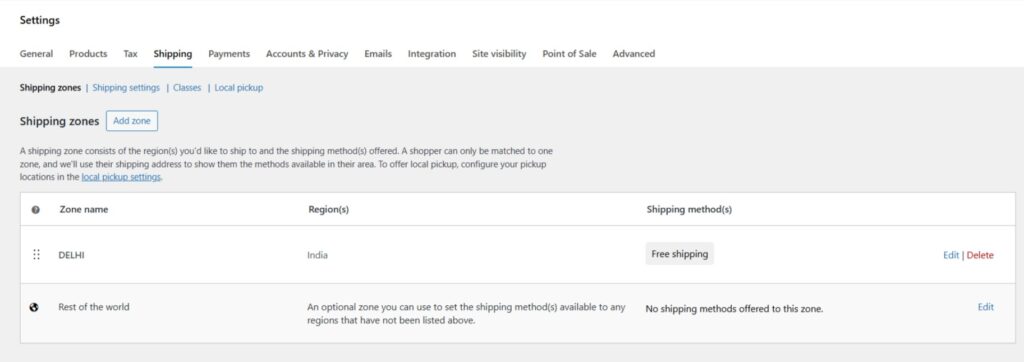
When a customer makes a purchase, they see the shipping options available for their region. For each region, you can configure different shipping methods and set their costs.

Like taxes, WooCommerce does not automatically handle or monitor shipping. You need to set it up manually or use a third-party service. Once you’ve configured your shipping options, you can then add them to your online store through WooCommerce.
Flexible Payments
WooCommerce provides numerous payment options, including built-in support for PayPal and Stripe. Additionally, it offers its own payment service, WooPayments, which covers 38 countries and supports more than 100 currencies. WooPayments can also facilitate in-store payments for physical shops.
WooPayments is a convenient option if you want to avoid third-party extensions for handling payments. It charges processing fees comparable to most competitors. To integrate it with WooCommerce, you must create an account. There are also extensions available to connect various other payment gateways with WooCommerce. Almost every payment method has a dedicated WooCommerce extension, many of which are free, but processing fees remain applicable.
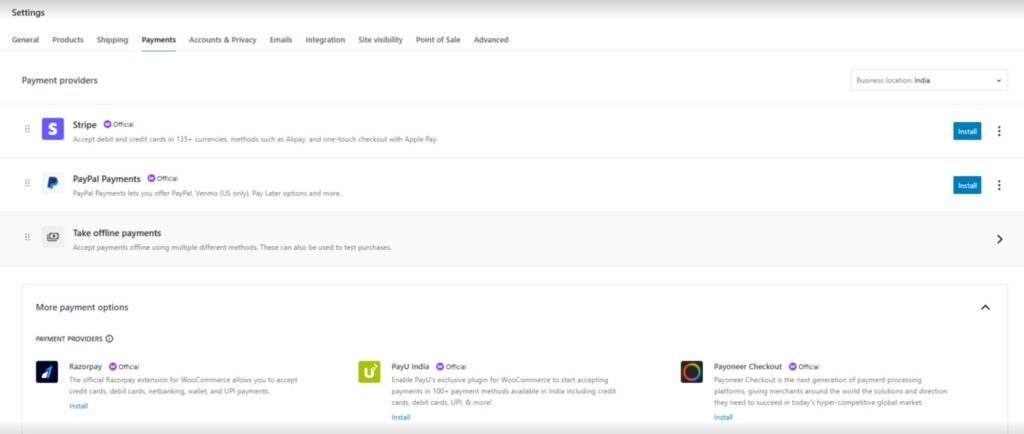
Overall, WooCommerce offers considerable flexibility in the payment methods it supports and how to integrate them, making it a dependable eCommerce plugin for any region you operate in.
Fast and Secure
WooCommerce is a dependable plugin backed by a dedicated development team, providing regular updates and security patches.
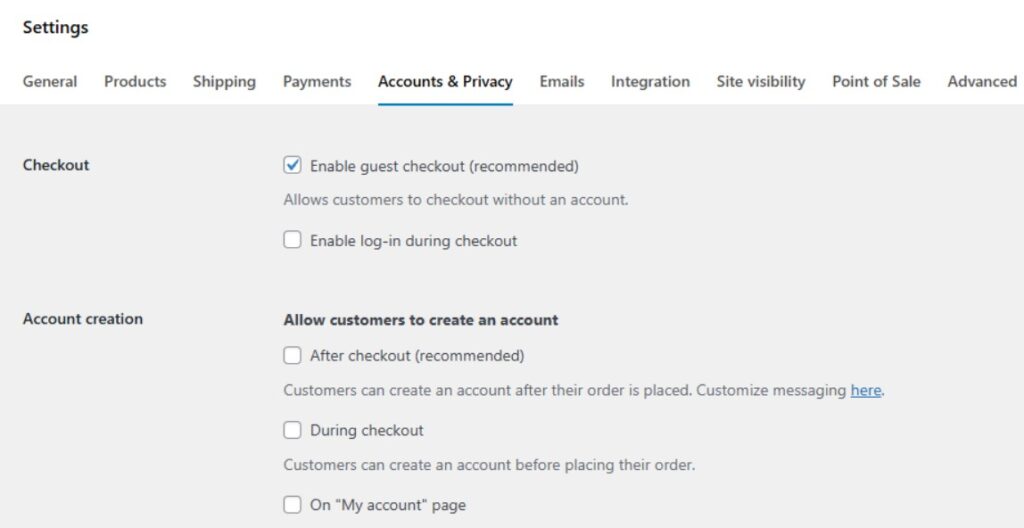
WooCommerce does not save customers’ payment information because it relies on external payment providers. If you wish, you can enable a guest checkout option, allowing users to make purchases without registering or providing personal details.
However, the security and performance of your store depend on your WordPress configuration and web hosting provider. To expand your online store safely, choosing optimized solutions like WooCommerce hosting ensures better speed, stronger security, and improved scalability for your online store.
SEO-Friendly
Search Engine Optimisation (SEO) involves applying best practices to boost your ranking in search engine results. This strategy aims to attract more organic traffic and increase conversions.
You can either implement SEO strategies manually, use advanced software and tools, or combine both approaches.
Fortunately, WooCommerce is naturally optimised for SEO. It includes various features to improve your website’s search engine ranking, making it accessible for both beginners and advanced users. For example, the product editor enables you to add titles and meta tags to individual products.
Many popular SEO plugins, such as Yoast SEO and All In One SEO—both free and paid—are compatible with WooCommerce, offering additional SEO features.
By using an SEO plugin, you can optimise your products for specific keywords. Including the appropriate keywords in your content increases your chances of ranking higher on search engine results pages.
While WooCommerce is an SEO-friendly plugin, it doesn’t guarantee high rankings for your products. Your search position also relies on the products you list, your audience’s search intent, and how well you optimise your product pages.
Related Useful Resources:
3. Best Free WooCommerce Themes For Your Online Store
Conclusion:
In simple terms of What is WooCommerce, it is a robust plugin that transforms WordPress into a comprehensive online store.
WooCommerce enables you to sell a wide range of physical and digital products. It also supports integration with premium tools to provide services like subscriptions. Additionally, WooCommerce is straightforward to use and highly customizable.