


5 Simple Steps to Change PHP version in cPanel

By Farhan Danish | August 10, 2026










Whether you’re troubleshooting compatibility issues or improving website performance, the ability to change PHP version gives you greater control over your hosting environment. Most hosting providers offer simple tools that let you switch between PHP versions in just a few clicks, making it easy to keep your website optimized and secure.
In this guide, you’ll learn how to change PHP version in cPanel using the PHP Selector, check your current PHP version, and understand why keeping PHP up to date is important.
What is a PHP Version of a Website?
A website’s PHP version is the specific release of the PHP programming language running on its web server. Since PHP handles server-side processing, the version used can affect your website’s performance, security, and compatibility with applications such as WordPress, Magento, and Joomla.
Keeping PHP up to date helps ensure faster loading times, improved security, and support for modern features. Current stable PHP versions include PHP 8.2, 8.3, 8.4, and 8.5.
Steps to Change PHP version in cPanel:
Step 1: Log in to the cPanel.
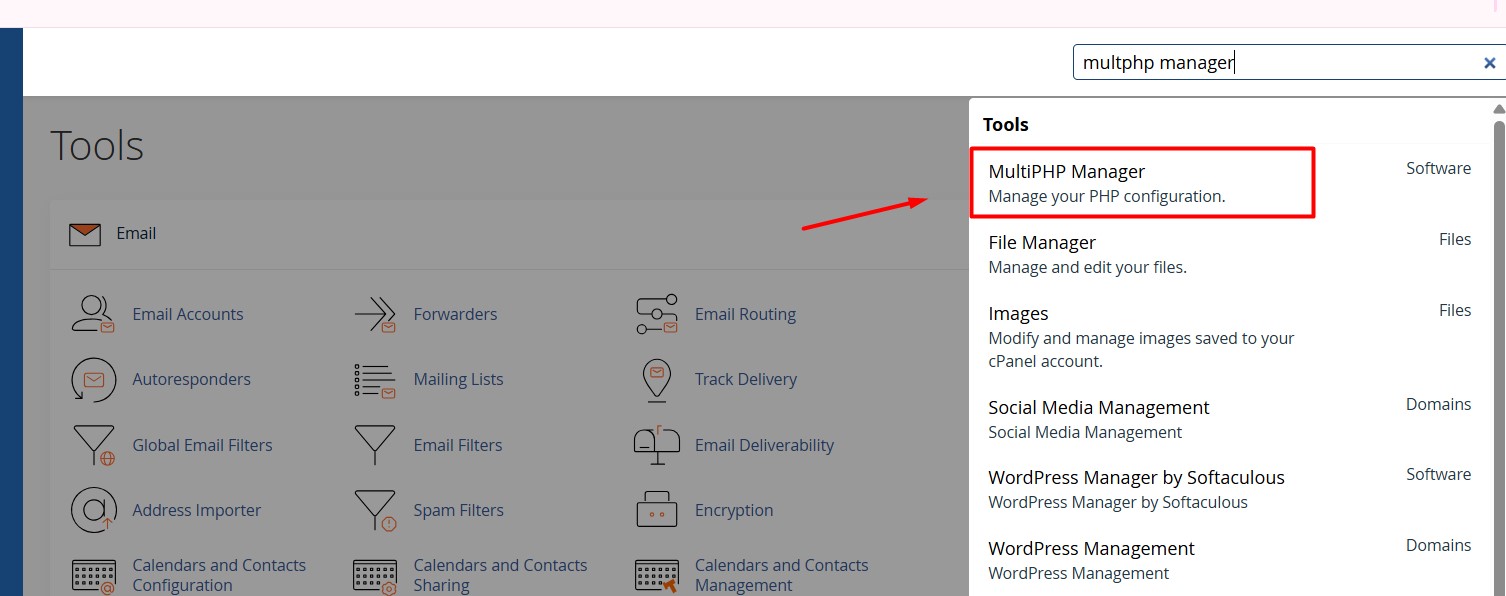
Step 2: Search for MultiPHP Manager option in the search box.
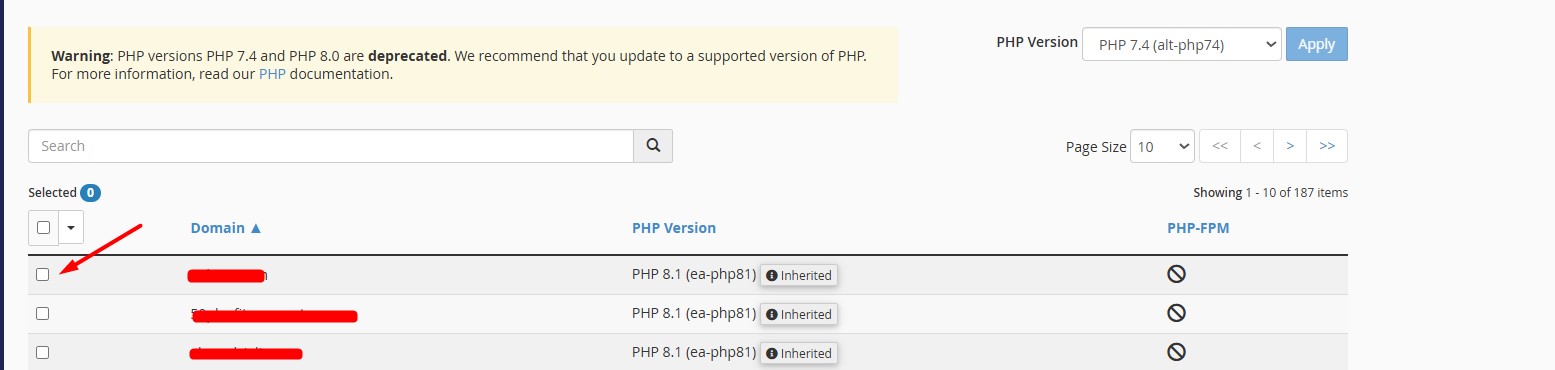
Step 3: Click the check box near the domain/subdomain which you want to change PHP version for.
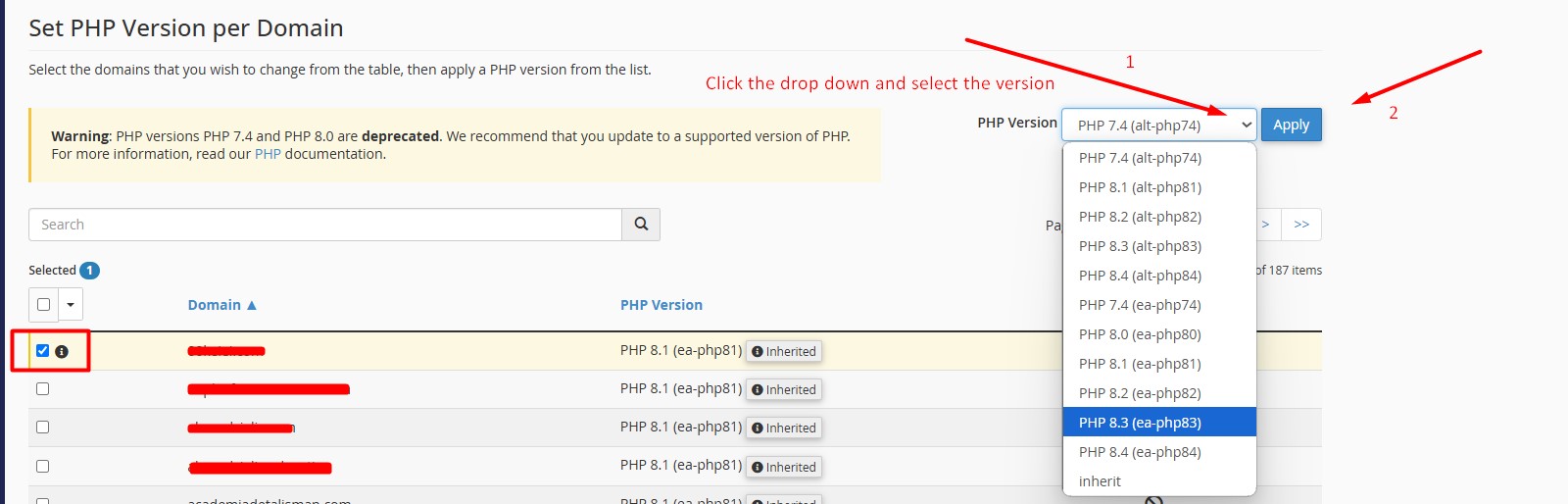
Step 4: Now click the drop down from PHP version and select version. Once done, click Apply button.
NOTE: Its best recommended to use the EA php version.
Step 5: You can also set PHP version per domain section by using the search bar and click the left arrow to select the domain (follow this same for each domain that requires the same PHP version) and change the PHP version for selected domain with selected PHP version.

Note: The PHP version 7.4 and PHP 8.0 are deprecated, which is not giving support for this PHP version cause of this it make your website vulnerability.
Relevant Sources:
1. Unsupported Versions and Releases
2. Latest Version Release Notes
3. PHP Compatibility and WordPress Versions
Hope this article helps you successfully Change PHP version in cPanel for your websites.