










How to Use Your SeekaHost India Gift Cards

By Arshath | July 7, 2026










SeekaHost India Gift Cards make it easy to send hosting credit to friends, family, colleagues, or clients, giving them the freedom to choose the services they need. This guide covers everything you need to know about purchasing, sending, and redeeming SeekaHost India Gift Cards.
Process to Use SeekaHost India Gift Cards:
1. Opening the Gift Cards Page
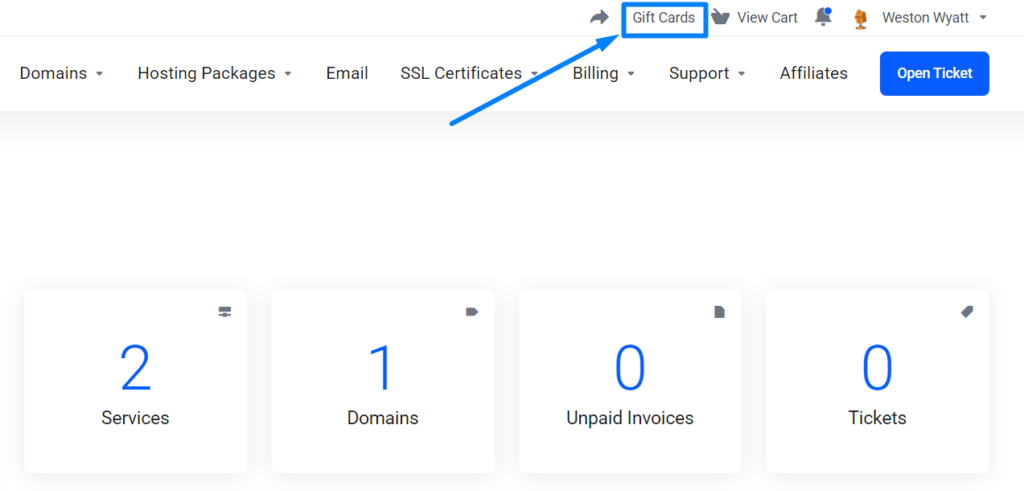
Log in to your SeekaHost India client area and open Gift Cards from the top menu.
You’ll see the following options in the Gift Cards section:
- Redeemable Balance – Displays your current gift card balance.
- Redeem a Gift Card – Enter a gift card code to apply it to your account credit or save gift cards to your account.
- Buy & Send a Gift Card – Purchase a gift card by selecting an amount and optionally adding the recipient’s name and email for your reference.
- Saved Gift Cards – View gift cards that have been saved to your account, which you can apply to your account credit or share later.
2. Buying and Sending a Gift Card:
Step 1: Under Buy & send a gift card, enter any amount within the allowed range [From Rs 100.00 to Rs 5,000.00].
You may also optionally enter the recipient’s email address and name for your own reference or record.
NOTE: The recipient email address and name are not used to send the gift card – you will need to share the gift card code with the recipient yourself after purchase.
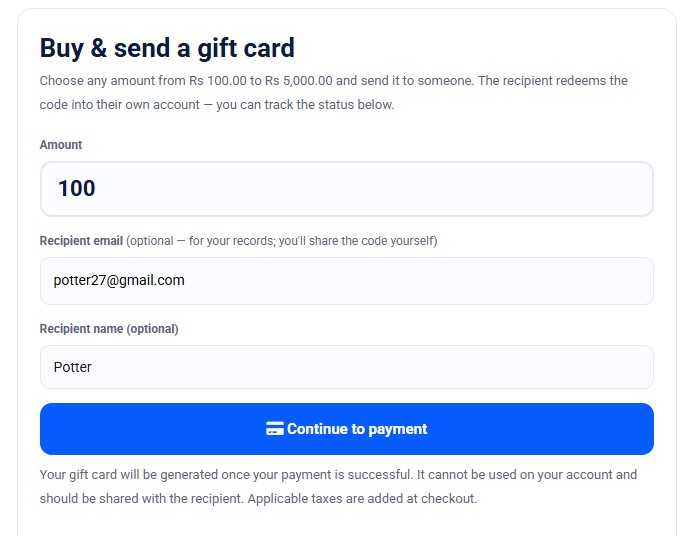
Step 2: Click Continue to payment button and pay securely. Once your payment is successfully processed, your gift card code will be generated and issued.
NOTE: Any applicable taxes will be added at checkout on top of the gift card amount.
Step 3: Once the gift card is created, the gift card creator will receive an email containing the gift card details and redemption instructions.
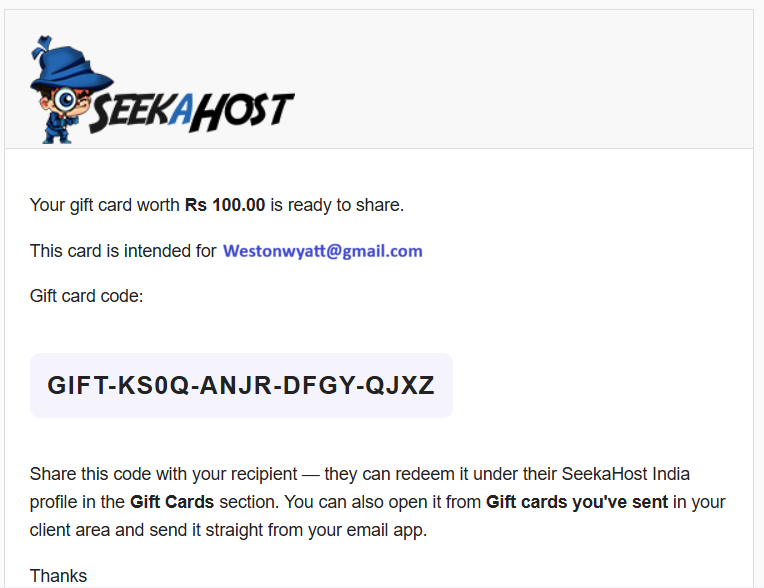
Step 4: Share the code with your recipient.
NOTE: The gift card will be active only for 2 years from the date of purchase.
3. Sharing a Gift Card:
Instead of manually copying and sharing the gift card code, you can also use this option to email the gift card code directly to the recipient.
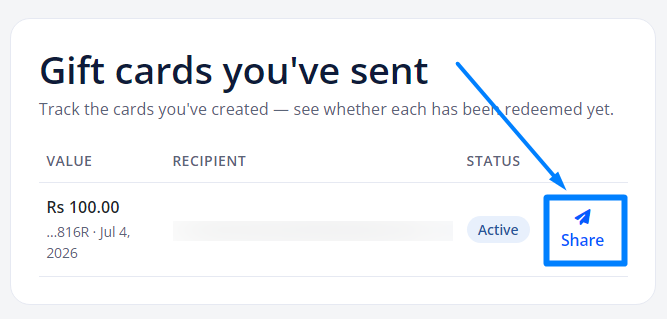
Step 1: Click Share button from Gift cards you’ve sent section (below) on any card you own or have sent.
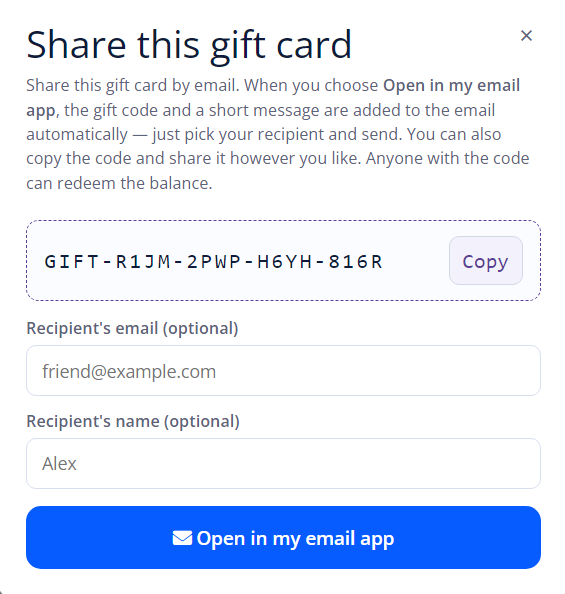
Step 2: A window will pop up showing your gift card code to share. Enter the Recipient Email and name to automatically pre-fill your email in the next step
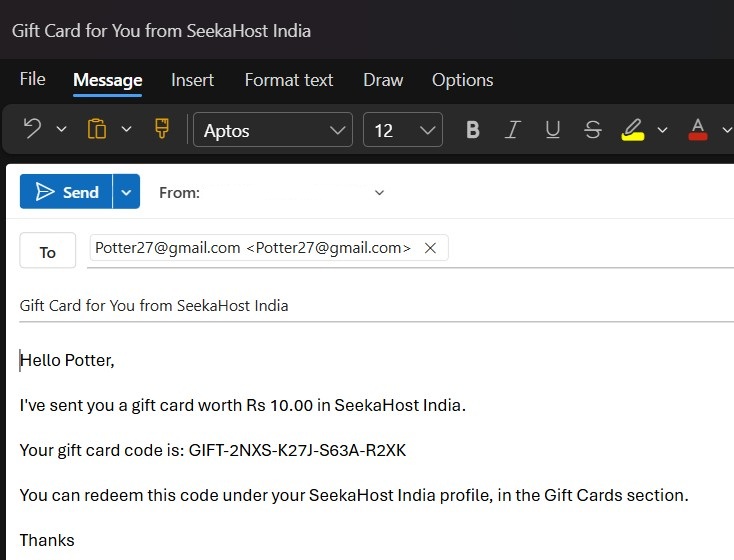
Step 3: Click Open in my email app button. Your email app will launch with the recipient’s information, subject line, and the gift code message already filled out. Just review and send it!
4. Tracking the Cards You have Sent:
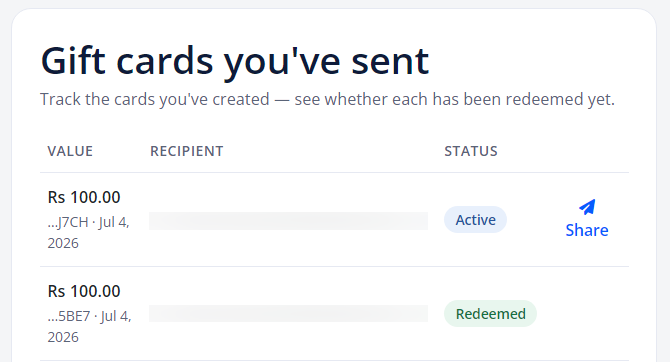
Under Gift cards you’ve sent, every card you created is listed with its live status – Active (not yet used) or Redeemed (used) – so you always know status of the gift card whether it has been claimed or not.
5. Redeeming a Gift Card Code:
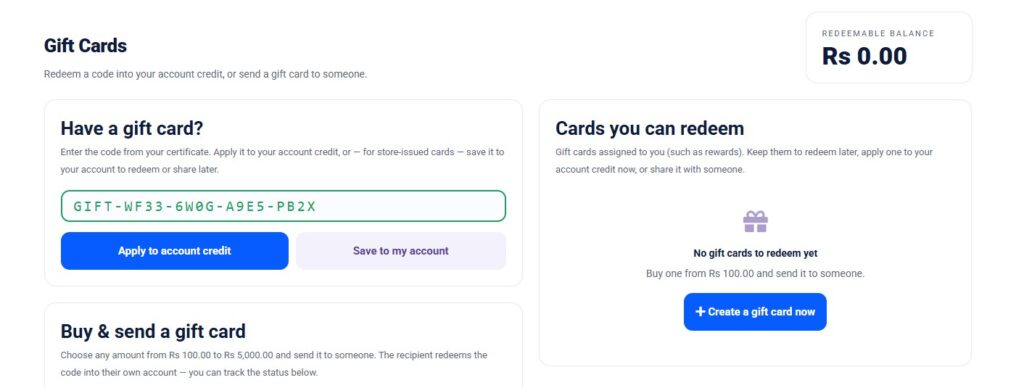
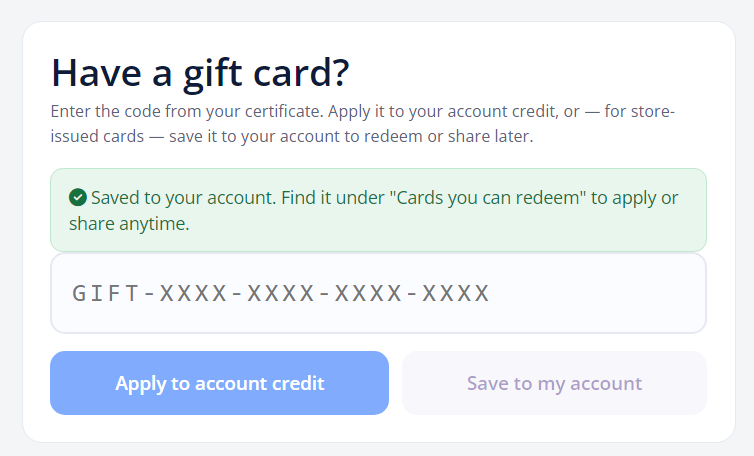
Step 1: Under Have a Gift Card? section, type or paste the code received on your email.
- The box turns green when the code is valid, as shown below:
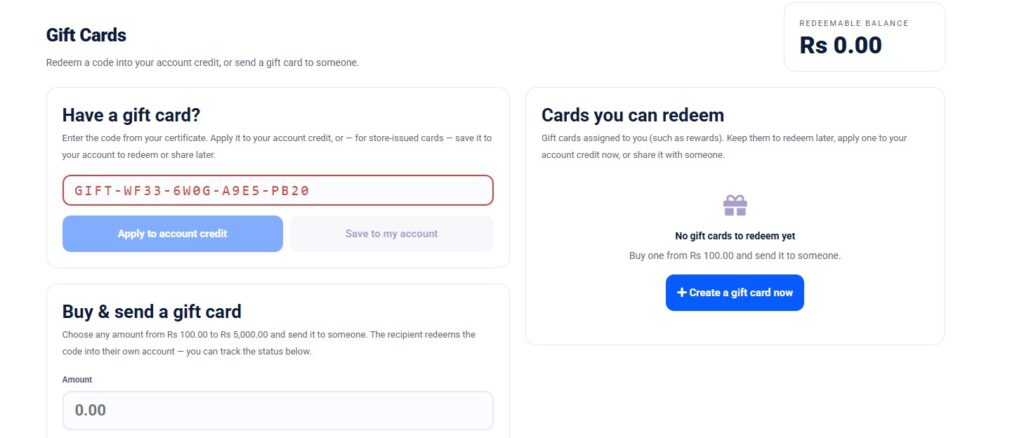
- The box turns Red when the code is invalid.
Step 2: Cards you can redeem
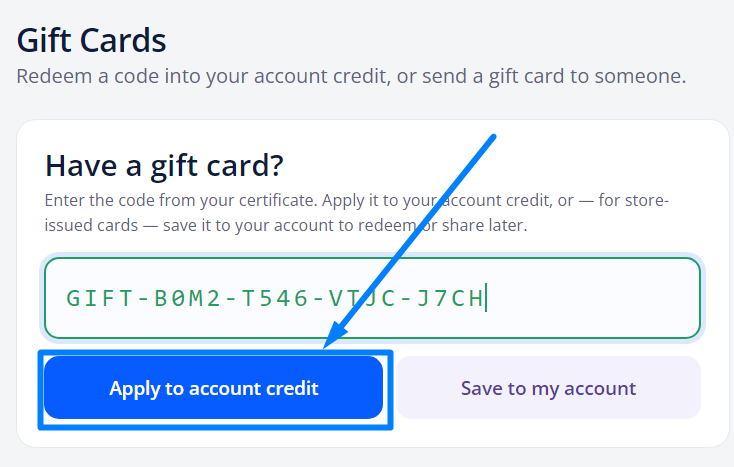
- Once entered, Click “Apply to account credit” button. The full value is converted to your currency and added to your account credit balance right away.
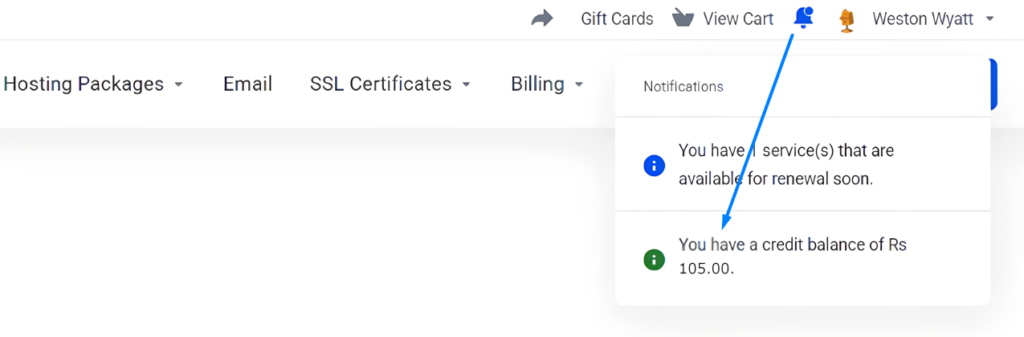
- To see the available credit balance, click the Bell Icon near your profile name.
- For Save to my account option – If you are eligible for any rewards, we will send you a special gift card code that you can use with the Save to my account option to hold your balance to apply later or share it with others. If applied successfully, you will see the below message.
NOTE: This rewards gift card expires at the end of the specified month.
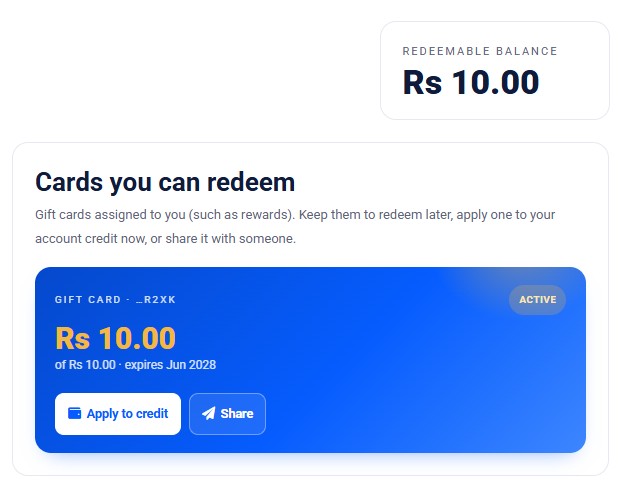
Gift cards assigned to you (for example, reward cards) appear under Cards you can redeem section. For each one you can:
- Apply to credit – add its value to your account credit balance.
- Share – share the code to someone else (see below).
- Redeemable Balance – Balance amount you can redeem to your credit balance
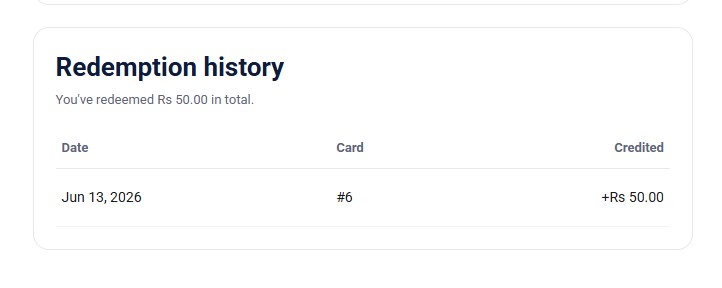
- You can also check the Redemption History in the same page.
Who You Can Share This With:
- Friends
- Family members
- Clients
- Colleagues
- Business partners
- Students
- Freelancers
- Start-up teams
- Customers (as rewards or offers)
- Anyone starting a new website or online project
Good to Know:
- The first account to redeem the code receives the credit. So only share a code with the person you intend to gift.
- You can’t use/redeem a gift card you created on your own account since gifts are meant for someone else’s account.
- This code can only be redeemed by users who have an account with SeekaHost India.
- Keep your codes private. Anyone who has a code can redeem its balance.
You can also recommend this gift card to your colleagues, clients, or friends who are planning to build a website and help them get started with their domain and hosting through this guide: Buy Domain and Hosting in India
Whether you’re celebrating a special occasion or helping someone launch their next online project, SeekaHost India Gift Cards offer a thoughtful and hassle-free gifting experience. Choose an amount, send the code, and let the recipient decide how to use it.