

10 n8n Best Practices for Deploying Perfect Automation

By Karthi | February 17, 2026










Creating an n8n workflow involves connecting apps and services through nodes to automate tasks. It starts with a trigger that initiates a sequence of action nodes to handle data and execute commands. There are few n8n Best Practices considered since setting up a simple workflow is easy, but designing one that is reliable, secure, and manageable requires careful planning.
Adhering to n8n Best Practices is essential for building dependable automations that reduce errors, protect sensitive data, and minimise troubleshooting time.
Learn – What is n8n? – A Powerhouse Guide to Workflow Automation
n8n Best Practices for Automation:
Start with purchasing a self hosted n8n VPS Hosting for your n8n environment with best requirements for setup and follow the below practices for successful automation with better performance.
1. Create a modular design
One of n8n Best Practices is modular design which simplifies complex workflows by splitting them into smaller, interconnected sub-workflows. Instead of one large, node-heavy workflow, you create multiple smaller workflows focused on individual tasks.
This approach improves scalability and makes debugging and maintenance easier. In n8n, you can implement this by using the Execute Sub-workflow node, which enables a workflow to trigger another and share data between them.
For example, imagine a process managing new customer orders. Instead of combining everything into one flow, you can create separate workflows for validating order details, updating inventory, and sending confirmation emails.
The main workflow then calls each sub-workflow sequentially using the Execute Sub-workflow node. If the email fails, troubleshooting is limited to the email workflow, not the entire order system.
2. Validate data inputs
Always assume that incoming data in your workflow might be imperfect. Data from sources like webhooks, forms, or other apps may lack fields, be incorrectly formatted, or contain unexpected values. Starting with data validation helps avoid errors that are difficult to troubleshoot later.
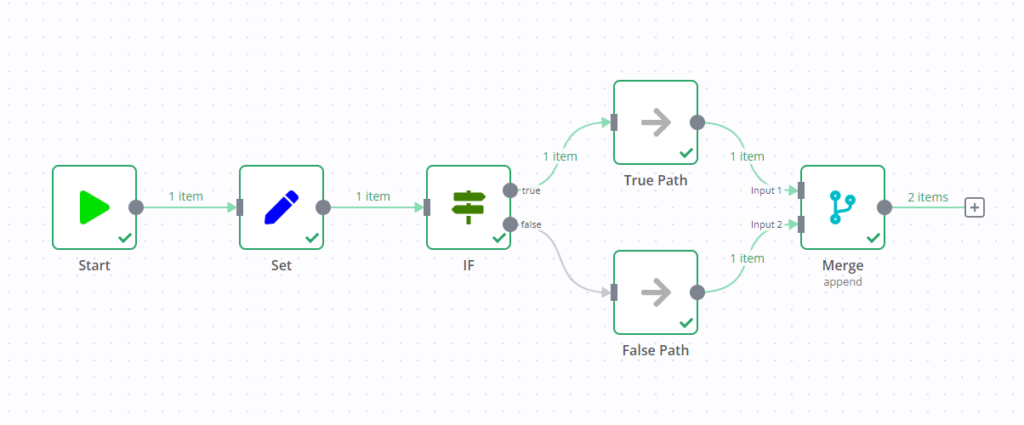
The simplest method to verify data is by using the IF node, which lets you confirm certain conditions before proceeding. You can check if a field exists, isn’t empty, or matches a specific format. For instance, in a user sign-up workflow, place an IF node right after the trigger to ensure the email field is not empty and includes an @ symbol.
If the data is invalid, you can stop the workflow or send a notification to investigate the issue.
3. Handle errors gracefully
Workflows can fail for different reasons, like an API being temporarily down, a database connection timing out, or data arriving in an unexpected format. With this n8n Best Practices, robust error handling prevents from crashing your entire automation.
An efficient workflow anticipates potential failures and manages them gracefully. n8n provides several error handling options. For instance, many nodes have a Settings tab where you can enable Retry on Fail. This feature automatically retries actions that fail, assisting in overcoming temporary issues like network disruptions.
For more sophisticated error management, use an Error Trigger node. It enables you to create a dedicated workflow that runs solely when a different workflow fails. You can configure this error workflow to send detailed alerts via Slack or email, log the error in a spreadsheet, or attempt a corrective action. This turns an unexpected failure into a straightforward, actionable notification.
4. Document your workflows
A workflow that seems clear now may become confusing in three months, particularly when changes are required. Documentation is one of most important n8n Best Practices that provides you context by clarifying the reasons behind your decisions. It is essential for team collaboration and for your future reference.
n8n has a built-in Sticky Note feature that lets you add comments directly on the workflow canvas. Use these notes to clarify complex parts of your workflow, describe the data structure at a certain point, or leave reminders about why you selected a specific setting. It is recommended to add a sticky note at the beginning of each main logical section of your workflow.
For example, in a data processing workflow, you might add notes such as “Fetching raw data from API,” “Filtering for active users,” and “Formatting data for database insertion.”
5. Secure API keys and credentials
Your workflows often need to connect to various services using API keys, tokens, or passwords. Embedding these secrets directly into your nodes creates a significant security risk. Sharing your workflow or having your account compromised could allow malicious actors to access your credentials.
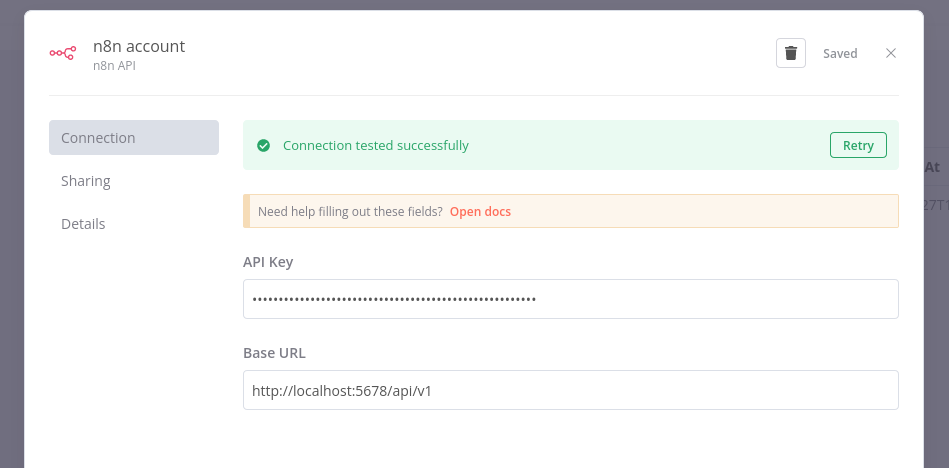
To prevent this problem, always use n8n’s built-in credentials manager. When configuring a node that requires authentication, n8n will prompt you to create new credentials. This securely stores your sensitive data in an encrypted format, separate from the workflow logic. On the n8n automation platform, it references these credentials by ID, ensuring that the actual secrets are never visible in the workflow code.
For example, configuring a Google Sheets node prompts n8n to ask you to connect your Google account rather than simply pasting your API key into a field. n8n handles the OAuth2 process, offering access without revealing your password and securely saving the tokens.
6. Audit workflow permissions
Not all team members require permission to edit or run every workflow. Providing unrestricted access could lead to accidental changes in critical production workflows or unintended exposure of sensitive data. Implementing robust access control is crucial for protecting your automation environment.
n8n offers user management features that enable assigning roles and permissions to different users. For self-hosted configurations, roles like owner, editor, and viewer can be set. n8n’s enterprise plans include role-based access control (RBAC), allowing for more granular management. You can customise permissions for creating, modifying, or running specific workflows.
Follow the principle of least privilege by granting users only the minimum access required for their roles. For instance, a team member who solely needs to observe the workflow results should be given view-only access, not permission to make changes.
7. Test workflows before deployment
Starting a new workflow without testing is not a n8n Best Practices which is similar to deploying code directly to production without verifying it first.
A minor misconfiguration can lead to significant problems, such as sending incorrect emails to thousands of customers or unintentionally deleting vital data from a database. It is crucial to perform tests in a secure environment, and this step should never be overlooked.
A good strategy is to create a duplicate of your production workflow for testing. In this test version, replace the production data sources with sample data. For instance, redirect the workflow to write to a test table instead of your primary customer database. Instead of emailing actual customers, send the emails to your own inbox.
If you are using a self-hosted setup, think about deploying n8n on a dedicated staging server solely for testing purposes. This completely separates your testing environment from production, providing maximum safety.
Once you have confirmed the workflow works properly, you can proceed to deploy it in your production environment.
8. Update your n8n instance regularly
The world of APIs and software is constantly evolving. A service your workflow relies on could change its API, or developers might discover a security vulnerability.
Keeping your n8n instance and nodes up to date ensures access to the latest features, bug fixes, and security patches. Conversely, neglecting updates can leave your system vulnerable and cause node failures if they no longer work with connected services.
The n8n team routinely publishes updates that improve performance and add support for new apps and services. If you use n8n Cloud, the platform updates automatically. Self-hosted users should regularly check for and install new n8n versions.
9. Version your workflows
As you enhance and tweak an automation, you’ll implement multiple changes. Versioning entails saving different copies of your workflow at various stages of development. This keeps a record of your modifications and provides a safe method to roll back to an earlier version if an update causes issues.
While n8n offers an integrated version history for workflows, a simple and dependable manual method is to duplicate your workflow before implementing significant changes. You can rename the cloned workflow by appending a version suffix, like Customer Onboarding_v2 or Daily Report_v2.1.
This practice is very useful for testing new logic, especially as you refine ideas from a structured n8n tutorial. If your changes fail, you can delete the new version and revert to the last known good one without manually undoing your work.
10. Use descriptive naming conventions
Recalling what My Workflow 3 does is straightforward with few workflows. However, as your collection grows, generic names become increasingly hard to manage. Using precise, descriptive names for your workflows and nodes is crucial for maintaining consistency and clarity.
A good workflow name should clearly reflect its purpose, such as ‘Sync New Customer Contacts to Postgres DB’ or ‘Generate Weekly Social Media Report.’ This helps you instantly understand what the automation does without having to open it.
The same principle applies to nodes: substitute default names like ‘HTTP Request’ with descriptive labels such as ‘Get User Data From API’ or ‘Post Message to #sales Channel’ to clarify their specific functions.
Conclusion
Implementing n8n Best Practices greatly improves automation dependability, security, and ease of maintenance. Designing modular workflows, validating data inputs, and preparing for potential errors strengthen system resilience. Maintaining thorough documentation, securely managing credentials, and setting appropriate permissions protects your processes and data.
Regular testing, prompt updates, version management, and clear naming conventions ensure automations remain stable and straightforward to comprehend over time.
Following these ten principles reduces troubleshooting and errors, and also makes your automation system more scalable and easier for teams to handle. Basically, careful planning and disciplined workflow management are crucial for successful n8n automation.